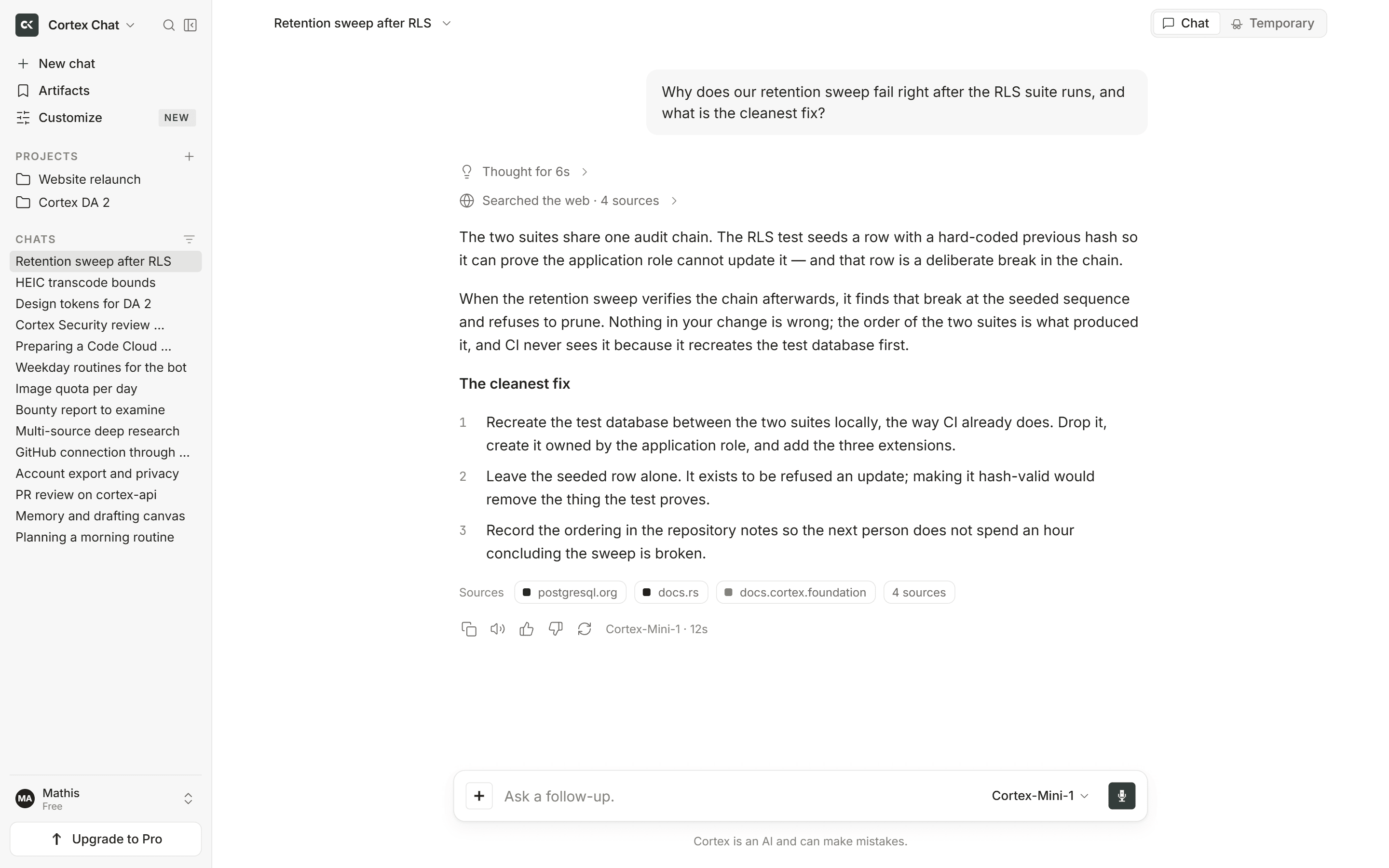
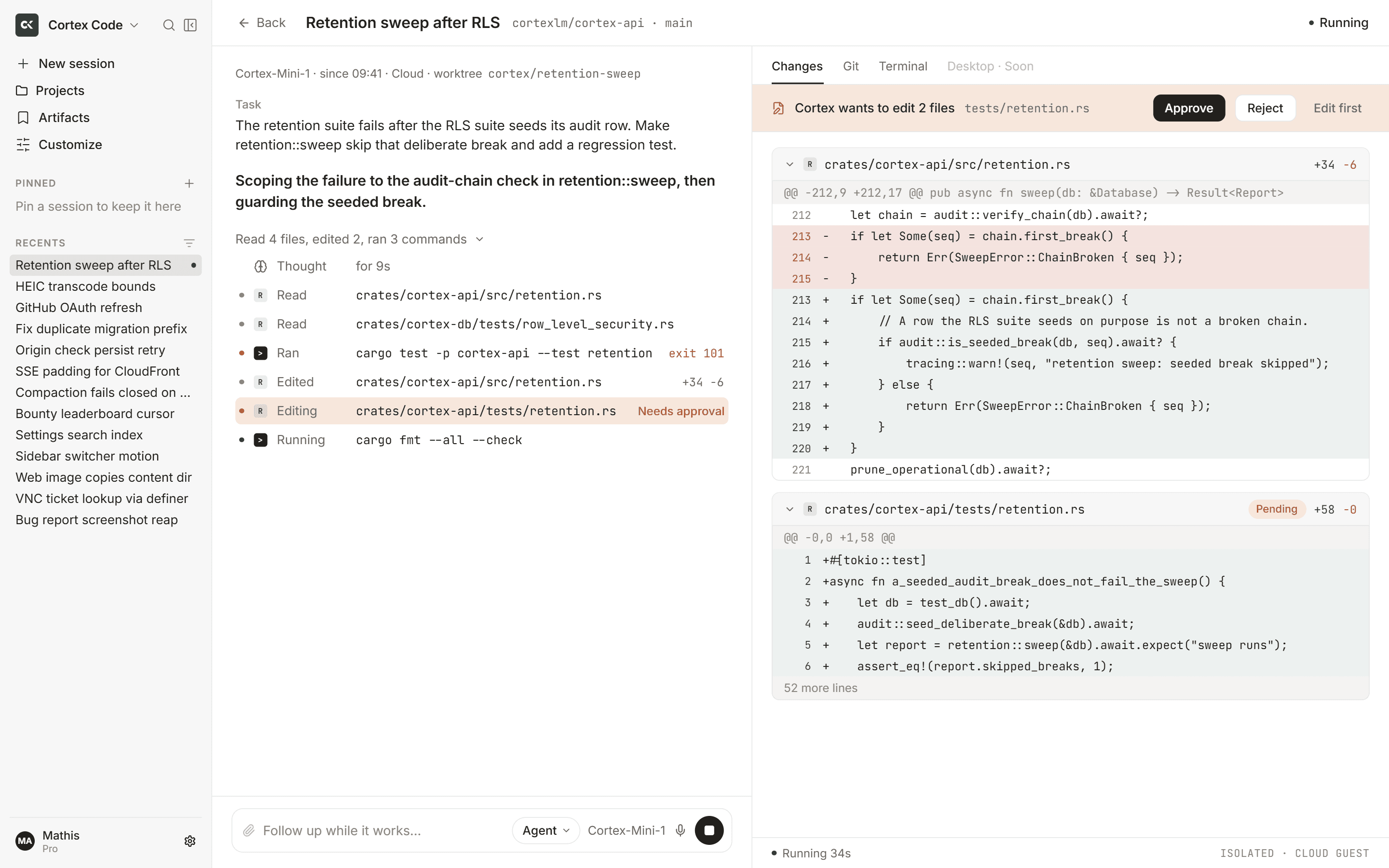
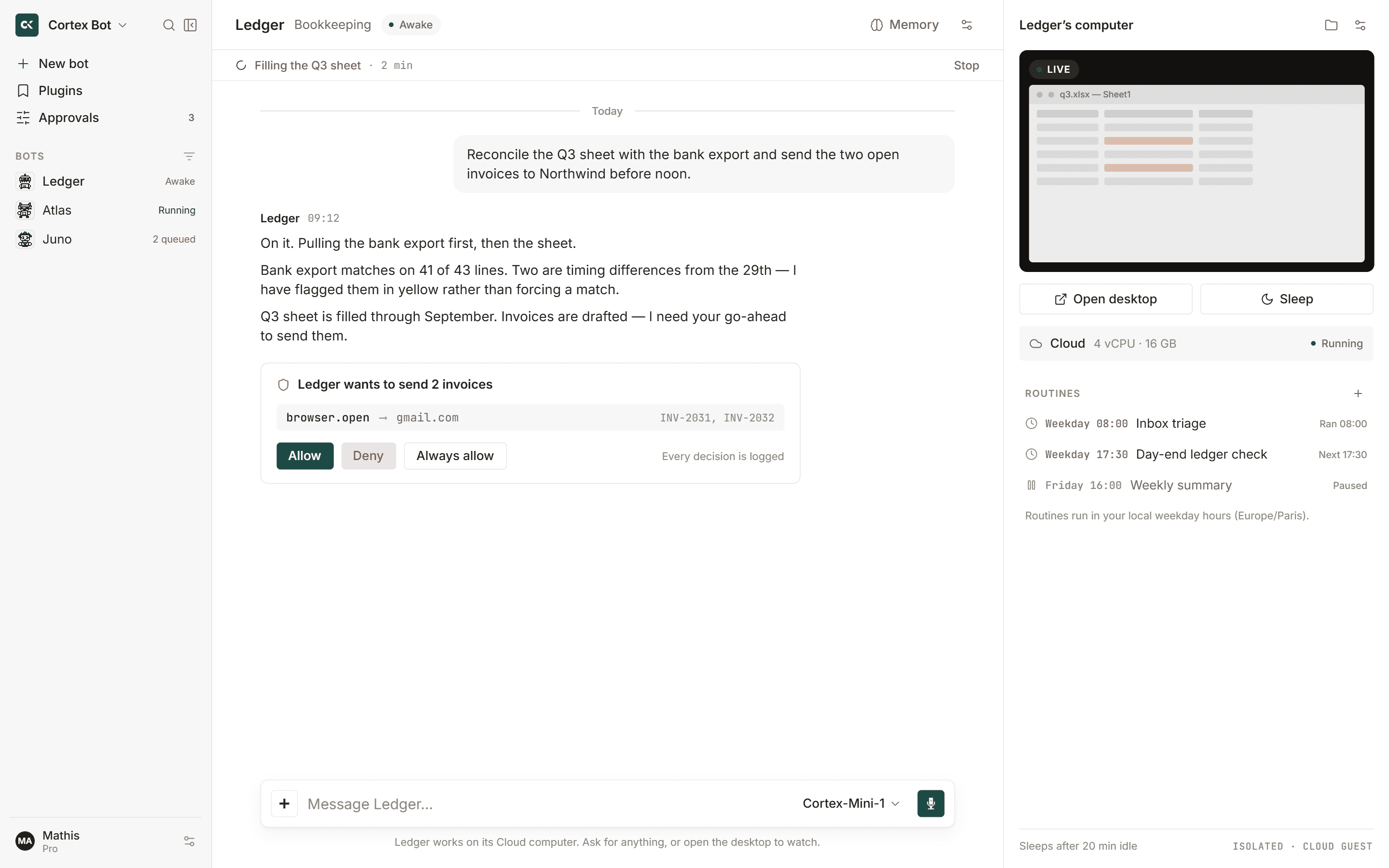
Building a Unified Model of software Systems

Your key to build AI software

Unlimited functionality, ease access and full control over your data.

Trusted by emerging startups and industry leaders

Claude, OpenAI, Gemini, Local, MCP, CI

Feature highlights

01

5 min Quick Start

Get started with Cortex in under five minutes

02

4 Install Methods

Install Cortex the way that fits your workflow best

03

8+ Providers

Cortex supports a broad range of model providers and local setups

04

6 Core Features

Built around the core capabilities needed for real coding workflows

02 / Use Case

Built for real software work

From early ideas to production-ready workflows, use agents where they save the most time.

01

Understand unfamiliar code

Ask Cortex to explain architecture, inspect files, and map how a project works before you make changes.

02

Fix, edit, and iterate faster

Use Cortex to add validation, review recent changes, diagnose failing tests, and keep moving without leaving the terminal.

03

Run automations in CI

Execute headless tasks for linting, test runs, and scripted workflows with configurable autonomy and tool controls.

04

Connect tools & external context

Extend Cortex with MCP servers to work with databases, APIs, GitHub, and local files through one consistent workflow.

05

Automate GitHub workflows

Set up automated PR reviews, issue triage, and repository workflows directly through GitHub Actions.

06

Shape agents for your workflow

Create custom agents with specific prompts, restrictions, and capabilities tailored to how your team builds.

03 / How it Work

Two ways to {build}

Build software with one unified AI workflow.

Build Without Friction

Work across leading providers

Switch between leading AI providers and local models depending on the task, latency, workflow, or environment.

Scroll to Explore

01 / 06

Multi-Model Support

Switch between leading AI providers and local models depending on the task, latency, workflow, or environment.

05 / Agents

Works with the way modern teams build

Connect tools, use agents with context, and move from idea to execution faster.

06 / Subscription

One subscription.
All agents included.

Separately
In total

≈$89/mo

Pay for each AI separately across different subscriptions. Costs stack up and workflows stay fragmented.

  • Multiple subscriptions
  • Higher monthly cost
  • Separate limits and billing
  • Harder team management
  • Chat GPT20$/mo
  • Jasper29$/mo
  • Bing AI15$/mo
  • Writesonic25$/mo
  • And many others
All-in-one
In total

$20/mo

Save 69$

Get all AI tools in one unified plan. Lower cost with a seamless, connected workflow.

  • Access every agent in one place
  • Build across WEB and IDE
  • Use VIBE inside IDE
  • Connect workflows with MCP
  • Keep execution secure and controlled
  • Continue work across sessions
  • Automate repeatable tasks without extra tools
Get Started

Build with agents

Start building now

07 / FAQs

Frequently Asked Questions

View moreContact support
What is Cortex, exactly?

Cortex CLI is an open-source AI coding agent that runs directly in the terminal with access to the file system, terminal, and development tools. Your product layer extends that workflow into WEB and IDE experiences.

What’s the difference between WEB and IDE?

WEB is the browser workspace for reviewing and orchestrating work, while IDE keeps Cortex close to local code editing and agent execution.

What is VIBE inside IDE?

VIBE is the in-IDE flow for steering agents, reviewing context, and iterating on implementation without leaving the editor.

Which models are supported?

The mocked marketing site presents Cortex as model-flexible, with exact provider wiring deferred because this frontend has no backend integrations.

How does security work?

Security behavior is represented as local product copy only; agent permissions, filesystem access, and integrations remain controlled by the real Cortex runtime outside this mock frontend.

What is MCP used for?

MCP is described as the extension layer for connecting agents to approved tools and data sources while keeping this site fully local and mocked.

Can this fit into CI/CD workflows?

Cortex copy supports automation-ready workflows, but this landing app does not create real CI integrations or external calls.

Do I pay per agent?

The mocked plans are organized around workflow tiers, not per-agent billing. Real billing is intentionally out of scope for this frontend.

08 / Changelog

Changelog

Explore all updates